Assessing and Prioritizing Workloads for Migration to Azure
A successful Azure migration starts with understanding the applications, dependencies, business priorities, and risks across the technology portfolio. A structured assessment helps organizations choose the right migration strategy, prepare the Azure environment, and execute migration waves with measurable outcomes.
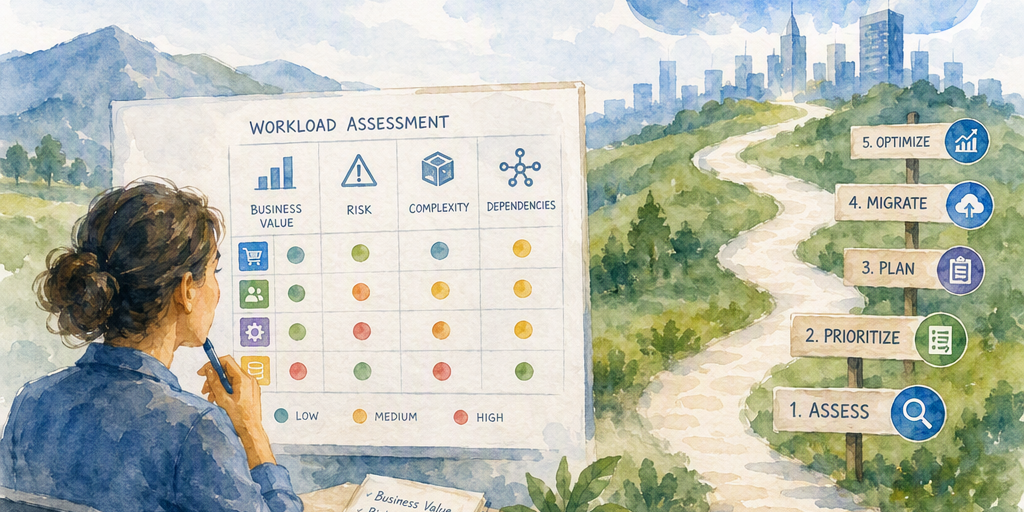
A successful Azure migration does not begin with moving servers. It begins with understanding the portfolio those servers support.
Most organizations operate a complex mix of applications, databases, virtual machines, integrations, batch jobs, data stores, and legacy platforms. Some workloads are business-critical and tightly connected to other systems. Others are outdated, underused, expensive to operate, or suitable for retirement. Moving every asset in the same way and at the same time increases risk, complicates planning, and can carry existing technical debt into the cloud.
A disciplined assessment creates a clearer path forward. It connects technology decisions to business outcomes, reveals hidden dependencies, identifies workloads that need modernization, and establishes a migration sequence that teams can execute with confidence.
Why Workload Assessment Matters
Migration decisions affect far more than infrastructure. They influence application availability, customer experience, security, compliance, operating costs, staffing, and the ability to deliver new capabilities.
A structured assessment helps organizations:
- Reduce disruption by identifying dependencies and cutover risks before production migration
- Direct limited engineering and change-management capacity toward the highest-value work
- Separate migration urgency from technical simplicity
- Select an appropriate migration strategy for each workload
- Estimate costs using realistic utilization, licensing, and architecture assumptions
- Prepare the Azure environment before workloads arrive
- Define measurable outcomes for every migration wave
Migration suitability and migration urgency are not the same. A small application may be easy to move but provide little strategic value. A complex system may be difficult to migrate but require immediate attention because of an unsupported operating system, an expiring data center contract, a major security concern, or an important business initiative.
The goal is not to move every asset unchanged. The goal is to determine which capabilities should be moved, modernized, replaced, consolidated, or retired—and in which sequence.
Build an Inventory Connected to Business Services
An inventory that lists servers without showing the applications and business services they support is incomplete. Portfolio discovery should connect technical assets to owners, users, business processes, and dependencies.
Useful inventory fields include:
- Application and service name
- Business owner and technical owner
- Business function and user population
- Production, development, test, and disaster recovery environments
- Servers, virtual machines, containers, databases, storage, and middleware
- Operating systems, versions, and software components
- Application-to-application and server-to-server connections
- Database, file, messaging, and API dependencies
- Identity providers, authentication methods, and privileged accounts
- External services, suppliers, and partner connections
- Batch schedules and processing windows
- Data classifications, retention requirements, and residency constraints
- Service-level objectives, recovery-time objectives, and recovery-point objectives
- Current utilization, performance characteristics, and capacity patterns
- Licensing arrangements and support contracts
- Current operating, backup, disaster recovery, and network costs
- Known incidents, technical debt, and planned replacement projects
Ownership deserves particular attention. A workload without a confirmed business owner is difficult to prioritize, approve, test, or support after migration. Establishing ownership early often exposes duplicate applications, unsupported systems, and capabilities that the organization no longer needs.
Discovery should be iterative. Initial inventories may come from configuration databases, infrastructure teams, application registers, monitoring platforms, and business interviews. Automated discovery can then validate the information and uncover assets that are missing from formal records.
Map Dependencies Before Defining Migration Groups
Dependencies often determine migration order more strongly than individual workload characteristics.
An application may depend on:
- A database hosted on another server
- Shared file storage
- An identity or directory service
- An internal API
- A message queue or integration platform
- A third-party payment, logistics, or customer service system
- A specific network route or firewall rule
- A scheduled batch job
- A certificate, key, or secrets-management service
- A reporting platform or data warehouse
Moving one component without its required dependencies can cause outages, performance degradation, authentication failures, or inconsistent data. Dependency mapping helps teams decide whether workloads should move together, communicate across environments temporarily, or be redesigned before migration.
Azure Migrate provides discovery and assessment capabilities for supported scenarios. Its features can help organizations analyze server environments, identify dependencies, evaluate readiness, and develop migration groups. Capabilities vary by workload type and migration path, so assessment results should be validated against current Microsoft documentation and the organization’s architecture.
Dependency validation should include automated evidence and human review. Monitoring data may reveal actual traffic patterns, while application owners can explain business relationships that are not visible through network connections alone.
Evaluate Each Workload Across Multiple Dimensions
A workload should not receive a migration priority based on a single factor. A balanced assessment considers business value, technical readiness, risk, effort, urgency, and expected Azure benefit.
Business value
Business value describes the consequences of moving, modernizing, replacing, or retiring the workload. Relevant indicators include revenue or transaction impact, customer or employee experience, strategic importance, contribution to growth or innovation, business continuity requirements, opportunities to improve release speed or scalability, executive sponsorship, and funding availability.
A high-value workload may deserve attention even when its migration is complex. Conversely, a technically simple workload may not justify immediate investment if its business contribution is limited.
Technical readiness
Technical readiness considers the workload’s compatibility with the target Azure architecture. Teams should review operating system and database support, virtualization and hardware dependencies, application architecture, deployment models, obsolete frameworks, infrastructure-as-code maturity, integration patterns, data-transfer requirements, latency sensitivity, licensing restrictions, test-environment availability, and the ability to monitor, back up, secure, and operate the workload in Azure.
Readiness does not mean that a workload must be modern before it can move. Rehosting may be appropriate for a system that needs rapid relocation, while refactoring or replatforming may be better when long-term agility and efficiency are more important.
Risk and compliance
Assessment should identify risks that could affect migration approval or ongoing operation. These include sensitive or regulated data, data residency requirements, weak access controls, unsupported software, unencrypted data or communications, inadequate logging, recovery gaps, vendor or contract restrictions, single points of failure, and high-impact business downtime.
A workload may be technically easy to move but require substantial preparation because it contains regulated data or depends on weak legacy security controls.
Effort and urgency
Migration effort includes more than the technical move. Teams should account for discovery, remediation, testing, data synchronization, network changes, security review, user communication, training, cutover, rollback, and post-migration support.
Urgency may result from a data center lease or hosting contract expiration, aging hardware, an unsupported operating system, rising infrastructure or licensing costs, a security or compliance deadline, a business launch or acquisition, capacity limitations, or the need to improve disaster recovery.
A workload with high urgency and high complexity may need an early assessment or remediation project even if its migration occurs later.
Expected Azure benefit
Azure benefits may include improved scalability, stronger resilience or disaster recovery, faster provisioning and release cycles, reduced data center dependency, access to managed platform services, improved security and governance, lower or more predictable operating costs, increased automation, and better analytics and integration capabilities.
Benefits should be expressed in measurable terms whenever possible. A target such as reduced processing time, higher availability, faster deployment, or lower recovery time is more useful than a general promise of improved performance.
Use a Transparent Scoring Model
A weighted scoring model makes trade-offs visible and supports consistent decisions across a large portfolio. It should guide expert judgment rather than replace it.
A simple model can score each workload from one to five across these categories:
Assessment areaExample weighting Business value25% Migration urgency15% Azure readiness15% Risk reduction15% Expected Azure benefit15% Migration effort and complexity15%Organizations can adjust the weightings to reflect their goals. A company facing a data center closure may assign more weight to urgency. A regulated organization may emphasize risk and compliance. A modernization program may give greater weight to strategic value and platform benefits.
The resulting score should be accompanied by written evidence. A high score without confirmed ownership, dependency validation, or a realistic delivery plan should not automatically make a workload an early candidate.
Useful classification groups include:
- Early candidates: Strong value, manageable dependencies, clear ownership, and measurable benefits
- Pilot candidates: Representative workloads that can validate landing-zone, security, connectivity, or operational assumptions
- Remediation candidates: Valuable workloads that require architecture, security, licensing, or data preparation
- Defer candidates: Workloads with unclear ownership, unstable requirements, or limited near-term benefit
- Retirement candidates: Redundant, obsolete, unused, or replaceable capabilities
- Retain candidates: Workloads that should remain on-premises temporarily or permanently because of business, technical, regulatory, or economic factors
Select the Right Migration Strategy
Migration frameworks use different strategy sets and terminology. The following six strategies provide a practical framework for portfolio decisions, but organizations may also use terms such as rearchitect, rebuild, or replace. The appropriate strategy depends on the workload, target architecture, business objectives, and required level of change.
Rehost
Rehosting, often called lift and shift, moves a workload with minimal application changes. It can support urgent relocation and reduce immediate disruption, but it may preserve inefficient architecture or operating practices.
Replatform
Replatforming introduces targeted improvements without redesigning the entire application. Examples include moving to a managed database service, updating an operating system, or adopting a more suitable hosting model.
Refactor or rearchitect
Refactoring or rearchitecting changes the application architecture to improve scalability, resilience, maintainability, or delivery speed. It can produce greater long-term value but generally requires more planning, engineering, testing, and business involvement. In some frameworks, rearchitecting is treated as a distinct strategy from refactoring.
Repurchase or replace
Repurchasing or replacing an existing capability with a commercial product or software-as-a-service offering can reduce maintenance requirements. Data migration, process changes, integration, licensing, and product-fit analysis remain important.
Rebuild
Rebuilding creates a new application or service, usually with cloud-native technologies, while replacing the existing implementation. This approach can deliver substantial improvements in agility and maintainability but requires significant engineering effort, testing, and business involvement.
Retire
Retiring removes a workload that is obsolete, duplicated, unused, or no longer justified. Retirement can deliver immediate savings and reduce the number of systems requiring security, backup, monitoring, and support.
Retain
Retaining keeps a workload in its current environment for a defined period or indefinitely. This may be appropriate when migration costs exceed expected benefits, regulatory conditions require a different arrangement, or a replacement project is already underway.
Different components of one application may use different strategies. A legacy application, for example, may be rehosted temporarily while its database is replatformed and an obsolete reporting module is retired.
Validate Costs and Business Assumptions
A credible business case compares the full cost of operating each option. Comparing current server spending only with projected Azure consumption can produce misleading conclusions.
Financial analysis should consider Azure compute, storage, database, and networking consumption; backup and disaster recovery; security and monitoring services; network connectivity and data transfer; software licenses and support agreements; reserved-capacity or savings-plan assumptions; migration engineering and testing; application modernization; training and operating-model changes; downtime and business disruption; data center facilities and hardware; decommissioning costs; ongoing technical debt; and staffing or managed-service requirements.
Azure Pricing Calculator can support initial estimates, while Azure cost-management capabilities can help track actual spending, provide budgets and alerts, and support governance through mechanisms such as tagging, policy, and reporting. These capabilities do not by themselves enforce every cost control, so organizations should combine them with appropriate policies, approval processes, automation, and operational oversight. Estimates should use validated utilization, realistic sizing, expected growth, selected regions, availability requirements, and the services needed to operate the workload securely.
Right-sizing should also be treated carefully. A workload sized from peak capacity alone may be unnecessarily expensive, while one sized from a short period of low utilization may perform poorly. Historical monitoring data and agreed performance targets provide a stronger foundation.
Prepare the Azure Landing Zone
Workload priorities are inseparable from the readiness of the Azure environment. Large-scale migration is more predictable when foundational capabilities exist before production workloads arrive.
A landing zone typically addresses management groups and subscription structure, identity and role-based access, privileged access, network topology and connectivity, naming and tagging, resource organization, Azure Policy, logging and monitoring, security operations, backup and disaster recovery, key management and secrets, vulnerability management, patching, cost controls, budgets, reporting, automation, and deployment standards.
The Microsoft Cloud Adoption Framework for Azure provides planning and governance guidance for these activities. The landing zone should be scaled to the organization’s needs, but foundational controls should not be postponed until after migration. Moving a workload into an ungoverned environment can create new security, cost, and operational problems.
Plan Migration Waves Around Evidence
A migration wave is a coordinated group of workloads that can be assessed, tested, migrated, and supported together. Grouping should reflect application and infrastructure dependencies, business calendars, technical similarity, data-transfer and synchronization requirements, team capacity, security and compliance approvals, cutover and rollback requirements, business-tester availability, and operational support readiness.
Early waves should contain representative but contained workloads. The best pilot is not always the easiest application. It should provide meaningful evidence about identity, connectivity, monitoring, backup, deployment, security, support, and cost without placing the most critical business service at unnecessary risk.
Each wave should define its scope, success criteria, migration strategy for every component, required remediation, test and validation plan, data migration approach, cutover window, communication plan, rollback conditions, support coverage, post-migration review, and decommissioning activities.
Pilot results should update the backlog. If a wave reveals unexpected firewall rules, licensing constraints, data-transfer limits, or operational gaps, later priorities and estimates should change accordingly.
Preserve Security, Resilience, and Operations
A workload is not successfully migrated when it merely runs in Azure. It must remain secure, supportable, observable, and resilient.
Assessment and planning should confirm identity and least-privilege access, encryption in transit and at rest, key and secrets management, network segmentation, vulnerability and patch management, security monitoring and incident response, backup coverage and restoration testing, recovery-point and recovery-time objectives, availability-zone or regional resilience requirements, capacity management, performance monitoring, operational ownership, and escalation paths.
A migration that ignores the operating model can transfer technical debt to the cloud rather than remove it. Teams need updated runbooks, support processes, alert thresholds, deployment procedures, and recovery plans before the workload becomes dependent on the new environment.
Measure Progress by Outcomes
Migration volume alone is a weak measure of success. A program that moves hundreds of workloads but increases incidents, costs, or operational complexity may not be delivering meaningful value.
Useful measures include:
- Percentage of the portfolio with validated ownership
- Number of workloads assessed and dependency accuracy
- Migration-wave predictability
- Cutover success and rollback frequency
- Post-migration incidents
- Application performance and availability
- Recovery-test results
- Azure cost variance against estimates
- Resource utilization and idle capacity
- Security findings and remediation rates
- Decommissioned infrastructure and licenses
- Deployment frequency and release lead time
- Customer, employee, or business-process improvements
These measures connect migration activity to business and operational outcomes. They also help leaders decide whether to accelerate, redesign, defer, or stop particular workstreams.
Create a Defensible Migration Backlog
The final product of assessment is not simply a spreadsheet of servers. It is a prioritized, evidence-based backlog that explains which workloads should move, which should be modernized first, which should be replaced or retired, which should remain in place, why each decision was made, which dependencies must be addressed, which Azure services and controls are required, how much effort and investment each workload needs, and which outcomes define success.
This backlog should remain dynamic. Ownership, business priorities, Azure capabilities, pricing, regional availability, application usage, and compliance requirements can change. Regular reassessment keeps the roadmap aligned with current conditions and prevents early assumptions from becoming permanent constraints.
Key Takeaway
Azure migration succeeds when organizations treat it as portfolio optimization rather than a mass relocation exercise. Discover the estate, connect technology to business services, validate dependencies, assess value and risk, select the right strategy, prepare the landing zone, and execute governed waves supported by measurable outcomes.
Begin with a representative set of workloads, use evidence to refine the plan, and make every migration decision serve a clear business or operational objective. A thoughtful assessment turns a complex application estate into a practical roadmap for a more secure, resilient, efficient, and adaptable Azure environment.
Summary
This guide provides a practical framework for turning a complex application portfolio into a prioritized Azure migration roadmap. It helps readers reduce migration risk, choose suitable strategies, validate costs, prepare governance foundations, and measure success through business and operational outcomes.