Migrate Legacy CA to Azure
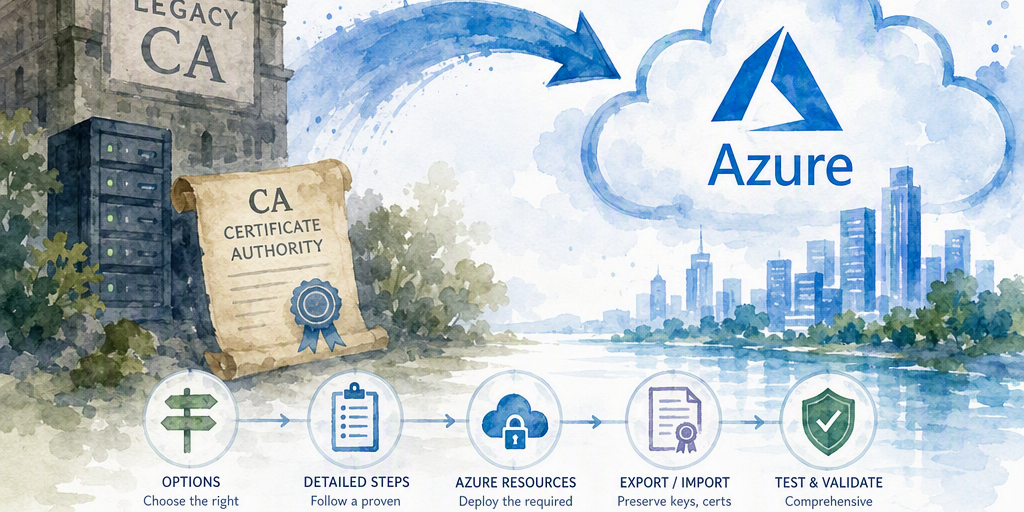
This guide walks through migrating legacy non‑issuing certificate authority (CA) servers to Azure. It covers options, detailed steps, required Azure resources, key export/import considerations, and a comprehensive testing checklist.
Purpose
This guide covers two different scenarios:
- Archival of an offline or non-issuing CA, normally an offline Root CA that should remain offline.
- Migration of an active legacy CA, normally an Enterprise or Standalone AD CS CA that must continue issuing certificates from Azure.
These scenarios require different procedures. An offline Root CA is usually not converted into an online Azure service. Its private key, CA database, configuration, and trust material are protected and archived, while its CRLs remain available to relying parties.
Azure Key Vault and Azure Key Vault Managed HSM are not certificate authorities. Importing a CA PFX into Key Vault does not make the private key usable by AD CS, and Managed HSM is not a general drop-in HSM for AD CS. Use an HSM with AD CS only when a specific, supported cryptographic service provider or key storage provider integration has been validated for the selected Windows Server and AD CS versions.
Prerequisites and limitations
- Obtain administrative access to the source CA, the Azure subscription, the relevant network, and—when applicable—Active Directory Domain Services (AD DS).
- Use a supported Windows Server version and an AD CS role configuration compatible with the backup source. Confirm the target operating system and AD CS version with current Microsoft documentation before restoring.
- Enterprise CAs require access to AD DS and depend on the configuration partition, security principals, certificate templates, autoenrollment, and Group Policy. Azure connectivity must provide reliable DNS, authentication, time synchronization, and domain-controller access.
- Standalone CAs do not depend on certificate templates or AD-based autoenrollment, but their request, approval, publication, and certificate distribution processes must be documented separately.
- Record whether the CA is a Root CA or subordinate CA, whether it is Enterprise or Standalone, whether it is issuing, and whether it has an Online Responder or another OCSP service.
- Obtain change approval and define a maintenance window. Do not run two instances of the same CA identity in a production-connected network.
- Confirm retention, key-custody, export, and compliance requirements before creating or transferring a private-key backup.
Architecture decisions
Offline or non-issuing Root CA: archive, do not online-migrate
Keep an offline Root CA powered off except during controlled signing and CRL-generation ceremonies. Store encrypted backups of the CA database, CA certificate, private key, and configuration in separate protected locations, including an offline or otherwise independently controlled repository. Azure Blob Storage can hold an encrypted archival copy, but the copy must not become the only copy and must not be treated as an online CA.
Publish Root CA CRLs to distribution endpoints that relying parties can reach. A storage account, a suitably configured public HTTPS distribution service, or an internal web service can host the CRL. The private key does not need to be placed in Key Vault to publish a previously generated CRL.
Active CA: restore AD CS on an Azure VM
Running the existing AD CS role on an Azure Windows VM is the normal rehosting approach when the CA must retain its identity, database, templates, issuance behavior, or autoenrollment integration. Preserve the CA certificate and private key as a matched pair and restore the CA database and configuration according to the supported AD CS backup and restore procedure.
Use Azure Migrate for discovery, replication, and final migration only after the CA-specific isolation and cutover plan has been approved. Azure Migrate does not replace AD CS backup and restore procedures.
Key Vault and Managed HSM limitations
Key Vault certificates and keys are usable by applications that support the relevant Key Vault interfaces. AD CS does not automatically use a CA private key merely because the key or PFX has been imported into Key Vault. Do not select Key Vault as the CA hosting architecture unless a separate, supported CA product or integration is being used.
Managed HSM may be considered for an application that explicitly supports its interfaces, but it should not be described as a supported AD CS HSM without identifying and testing the required provider, key operations, permissions, and Windows Server integration. For an AD CS deployment, use a supported network HSM or cryptographic provider documented for the exact AD CS and Windows Server versions, or retain the key in the protected certificate store on the CA VM according to organizational policy.
Certificate and publication continuity
Issued certificates contain their original AIA and CDP URLs. Changing the CA configuration does not rewrite those URLs in certificates that have already been issued. Every existing AIA and CDP URL must therefore remain resolvable for the full lifetime of affected certificates, including their revocation-checking period.
Before migration, choose one of these continuity strategies:
- Keep the existing DNS names and HTTP or LDAP paths and redirect or republish the content from Azure.
- Continue publishing to the old endpoints while also publishing to new endpoints. This is dual publication, not a replacement of URLs embedded in existing certificates.
- For a new CA certificate or newly issued certificates, add and validate new AIA and CDP locations before issuance. Do not remove an old location until no affected certificate can require it.
Set CRL overlap and validity periods deliberately. The overlap must cover the migration window, publication delays, caching behavior, and the maximum expected outage. Verify the CRL's ThisUpdate and NextUpdate values after each publication.
Pre-migration inventory
- CA common name, role, certificate thumbprint, validity period, key algorithm, key length, and complete chain.
- Enterprise or Standalone status, operating-system version, AD CS role services, database location, log locations, and service-account configuration.
- Certificate templates, issuance and exit policies, approval requirements, key archival settings, autoenrollment policy, and renewal settings.
- All AIA, CDP, CRL, and OCSP URLs, including LDAP, HTTP, and file-share locations.
- CRL base and delta schedules, overlap periods, publication scripts, scheduled tasks, web servers, DNS records, and firewall rules.
- Online Responder configuration, responder signing certificate, CA relationship, revocation-provider configuration, and responder service account.
- Applications and clients that validate certificates, including VPN, TLS, Wi-Fi EAP, S/MIME, code signing, device management, and mutual TLS workloads.
- For Enterprise CAs, domain controllers, DNS servers, Group Policy objects, templates, and permissions used by the CA.
Protected CA backup
- Place the CA in an approved maintenance state. For an issuing CA, record pending requests and define how issuance will be paused during the final cutover.
- Use the AD CS CA MMC backup wizard or the supported certutil backup commands to back up the CA database, private key, and CA certificate. Example commands require an existing, access-controlled destination directory:mkdir C:\CA-Backup certutil -backupdb C:\CA-Backup\Database certutil -backupkey C:\CA-Backup\Key
- Export the CA configuration for reference and recovery. These commands save text and registry data; they do not replace the supported CA backup:certutil -getreg CA > C:\CA-Backup\CA-registry.txt reg export "HKLM\SYSTEM\CurrentControlSet\Services\CertSvc" C:\CA-Backup\CertSvc.reg /y
- Export the CA certificate and private key as a PFX only when policy permits. Use the Certificates MMC export wizard for the Local Computer certificate store, select the CA certificate, select Yes, export the private key, protect the PFX with a strong unique password, and record the custody procedure. Do not publish the PFX password with the backup.
- Encrypt backups before transfer when required by policy. Use separate custodians or controls for the backup and its decryption material. Store at least one tested copy offline or in an independently protected vault, and record retention, access, and destruction requirements.
- Verify that the CA certificate and private key match. Compare the public-key thumbprint or modulus from the certificate with the corresponding key material using approved Windows or cryptographic-tooling procedures. Do not proceed when the match cannot be demonstrated.
- Document the backup timestamp, source operating system, CA role, database path, key provider, service account, and restore prerequisites.
Archival procedure for an offline Root CA
- Generate or renew the Root CA CRL during a controlled offline ceremony before the migration activity, if required by the existing schedule.
- Copy the generated CRL to each existing CDP endpoint. If the endpoint is moving to Azure, copy it to the new distribution service while retaining the old URL and content path.
- Upload an encrypted backup to a restricted Azure Storage container only after verifying storage encryption, network controls, logging, immutability or retention requirements, and access assignments.
- Test CRL retrieval from representative client networks, including networks outside the Azure virtual network when those clients rely on public URLs.
- Keep the Root CA offline. Decommission the old host only after the protected backup has been restored successfully in a separate approved exercise or otherwise verified according to policy.
Azure resources and network design for an active CA
- Create a resource group with an approved name and region. For example:az group create --name rg-pki-prod --location eastus
- Deploy a Windows Server VM with an operating-system version, disk layout, patch level, and size compatible with the CA backup and workload. Do not use an unsupported in-place operating-system conversion as part of the restore.
- For an Enterprise CA, provide private connectivity to AD DS, DNS, time sources, and required management systems through ExpressRoute, site-to-site VPN, or an equivalent approved design. Azure AD DS is not automatically equivalent to the AD DS environment on which an existing Enterprise CA was configured; validate compatibility before selecting it.
- Use NSGs, host firewalls, privileged-access controls, endpoint protection, disk encryption, monitoring, and restricted administrative access. Do not expose the CA management interface or RPC services to the public internet.
- Use a storage account for encrypted backups and CRLs only when its endpoint design matches client reachability requirements. A private endpoint is appropriate for administrative backup access or internal clients with connected DNS and routing; it is not generally suitable for CRL or OCSP URLs used by clients outside the connected Azure network.
- For public or broadly distributed certificate validation, use a public HTTPS distribution endpoint with appropriate DNS, TLS certificate, firewall, caching, availability, and content-publication controls. For internal-only validation, use private DNS, routing, firewall rules, and client connectivity that are demonstrably available from every relying-party network.
Restore AD CS on an Azure VM
- Build the target VM with the same or a supported newer Windows Server version. Apply the approved patch baseline and configure DNS, time synchronization, storage, and network connectivity.
- For an Enterprise CA, join the VM to the correct domain and verify domain-controller discovery, AD replication, DNS resolution, and permissions before restoring the CA. Do not create a new CA with the old CA's name or certificate.
- Install the required AD CS role services without creating a new CA identity. Follow the Microsoft AD CS restore procedure for the specific Windows Server version.
- Restore the CA database from the supported backup location and restore the CA certificate and private key. Restore configuration and registry values only as directed by the supported procedure; do not blindly import an entire registry hive.
- Restore service-account permissions and private-key ACLs. Confirm that the Certificate Services service account can access the private key and database while ordinary administrators and applications cannot.
- Verify that the restored CA certificate and private key match, the database opens, the CA name and certificate chain are unchanged, and the Certificate Services service starts without errors.
- Recreate or validate publication tasks, scripts, web-server permissions, DNS records, templates, autoenrollment, and monitoring. Do not alter AIA or CDP locations without a continuity plan for previously issued certificates.
Azure Migrate safeguards
Do not start an Azure Migrate test clone of a CA in a production-connected network. A cloned CA can retain the original CA identity, private key, database state, computer name, DNS registration, AD relationships, and publication jobs. Starting it can cause duplicate identities, inconsistent database activity, duplicate CRLs, duplicate issuance, AD conflicts, and DNS conflicts.
Use one of these safer validation methods:
- Validate the Azure Migrate replication and perform the final failover without booting a cloned CA, using the source CA as the only active instance until the approved cutover.
- Restore a copy into a separately isolated lab subscription or virtual network with no route to production, no production DNS registration, no AD write access, no client access, and no access to production CRL or OCSP publication paths. Keep Certificate Services stopped until the restore is complete and the test plan explicitly permits a controlled start.
- Use a separate test CA and test certificates to validate Azure networking, monitoring, storage, and application connectivity. This does not prove that a cloned production CA can safely issue certificates.
If a restored copy must be started for a supported recovery test, obtain PKI-owner approval, block all publication and issuance paths that could affect production, isolate DNS and AD, and follow the relevant Microsoft recovery guidance. Never allow the clone and the production CA to operate concurrently as the same CA identity.
CRL and OCSP publication
CRL publication
Configure publication through the CA Extensions settings or the supported Windows Server procedure for the installed AD CS version. Record every existing URL before changing it, and validate the resulting registry configuration against current Microsoft documentation. Do not use an incomplete command such as certutil -setreg CA\CRLPublicationURLs without the complete, version-specific value and publication flags.
Publish CRLs to all required old and new locations during the overlap period. Confirm that the resulting files are accessible, have the expected issuer and signature, contain correct validity fields, and are not modified by a proxy or content-delivery process. Keep old endpoints available for the lifetime of certificates that reference them.
Microsoft Online Responder
The Microsoft Online Responder is a Windows Server AD CS role service with specific operating-system, CA relationship, signing-certificate, revocation-provider, permissions, and network requirements. Deploy it on a supported Windows Server design, such as an Azure VM, rather than on Azure App Service.
- Install the Online Responder role service on a supported Windows Server version.
- Configure the responder's relationship with the issuing CA and provision an OCSP signing certificate with the required EKU, validity, private-key protection, and enrollment permissions.
- Configure the revocation configuration, CA certificate chain, CRL retrieval paths, responder URL, DNS, firewall rules, and client reachability.
- Design availability using multiple supported responder instances or an approved load-balancing pattern. Ensure that all instances have consistent configuration and access to current CRLs.
- Test responder signatures and Good, Revoked, and Unknown responses from every client network that uses OCSP.
Cutover and rollback
- Freeze configuration changes and new issuance according to the approved maintenance plan. Record pending requests and active publication jobs.
- Confirm that current CRL and OCSP endpoints remain available and that the new Azure endpoints are reachable from representative clients.
- Stop the source CA and its publication jobs at the approved cutover point. Complete the Azure VM failover or supported restore, then start only the intended CA instance.
- Verify CA identity, database, key match, service status, AD connectivity, templates, autoenrollment, CRL publication, and OCSP operation.
- Keep old AIA and CDP endpoints available. Monitor certificate-validation errors, publication failures, CA events, responder events, DNS, storage access, and network flows through the stabilization period.
- For rollback, stop the Azure CA, prevent duplicate publication, restore the source CA's last known state according to the approved recovery plan, and re-enable the original publication path. Do not roll back by starting both CA instances.
Validation checklist
- Identity and key: The CA name, certificate thumbprint, chain, key provider, and certificate-to-key match are unchanged.
- Service and database: Get-Service -Name CertSvc reports the expected state; the CA database opens; no relevant Certificate Services errors appear in Event Viewer.
- Enterprise dependencies: Domain authentication, DNS, time synchronization, AD replication, certificate templates, permissions, Group Policy, and autoenrollment work as designed.
- CRL: Retrieve a CRL from every old and new CDP URL and verify its signature, issuer, ThisUpdate, NextUpdate, and revocation entries.
- OCSP: If deployed, test the responder URL and verify the signing certificate, responder signature, CRL access, and expected Good, Revoked, and Unknown responses.
- Issuance: Issue a certificate using an approved test template or Standalone CA workflow, verify its chain and embedded AIA/CDP URLs, and confirm installation and renewal behavior.
- Revocation: Revoke a test certificate, publish a CRL, and verify revocation through the applicable CRL and OCSP paths. Account for client caching when interpreting results.
- Applications: Test representative VPN, TLS, Wi-Fi EAP, S/MIME, code-signing, device-management, and mutual-TLS workflows.
- Operations: Confirm backup jobs, key-custody controls, Azure Monitor alerts, VM health, storage logs, Key Vault logs when used for unrelated supported workloads, and CA or responder event forwarding.
Command reference
Run commands from an elevated prompt and substitute real, approved paths. Validate syntax against the installed Windows Server and Azure CLI documentation before production use.
Get-Service -Name CertSvc certutil -getreg CA certutil -backupdb C:\CA-Backup\Database certutil -backupkey C:\CA-Backup\Key certutil -url C:\Test\sample.cer certutil -verify -urlfetch C:\Test\sample.cer w32tm /query /status repadmin /showreplcertutil -url and certutil -verify -urlfetch require an actual certificate file. Use the interactive URL-retrieval options to test the certificate's embedded AIA, CDP, and OCSP locations. Use the AD CS MMC backup and restore wizards or the exact certutil syntax documented for the installed Windows Server release when restoring a CA.
Decommissioning and archival
- Wait through the approved stabilization period and confirm that no clients, templates, scripts, publication jobs, or applications still depend on the old host.
- Retain the CA database, certificate, private key, configuration record, CRLs, OCSP configuration, and recovery documentation for the required period.
- Revoke temporary migration-test certificates and remove temporary credentials, firewall rules, DNS records, and storage access.
- Remove network access to the old server, then retire it under change control. Do not delete the old AIA or CDP content while certificates still reference those URLs.
Testing matrix
TestResultEvidence CA identity and certificate-to-key matchPASS/FAILThumbprint and key verification record CA database and service operationPASS/FAILService output and event logs AD DS, DNS, time, templates, and autoenrollmentPASS/FAIL/NOT APPLICABLETest records CRL retrieval from every embedded CDPPASS/FAILURLs, timestamps, and CRL validation OCSP response and signing validationPASS/FAIL/NOT APPLICABLEResponder test results Issuance and renewalPASS/FAIL/NOT APPLICABLETest certificate details Revocation detectionPASS/FAILCRL and OCSP results Application integrationPASS/FAILApplication owner sign-off Backup, monitoring, and rollbackPASS/FAILRestore evidence and alert recordsRecommended next steps
- Classify each CA as offline Root, active Enterprise, or active Standalone.
- Inventory every embedded AIA, CDP, and OCSP URL and map the clients that use them.
- Complete and test a protected CA backup before changing Azure resources or network routes.
- Select archival or Azure VM rehosting based on the CA role and dependencies. Do not treat Key Vault or Managed HSM as an AD CS replacement without a documented, supported integration.
- Approve an isolated validation plan, execute the cutover with a tested rollback, and retain legacy publication endpoints for the required certificate lifetime.
Summary
Practical guidance about Migrate Legacy CA to Azure.