Operating and Optimizing Migrated Workloads in Azure
Migration cutover marks the beginning of a workload’s Azure lifecycle, not its conclusion. A structured operating model helps teams validate performance, strengthen security, control costs, automate routine tasks, and continuously improve business outcomes.
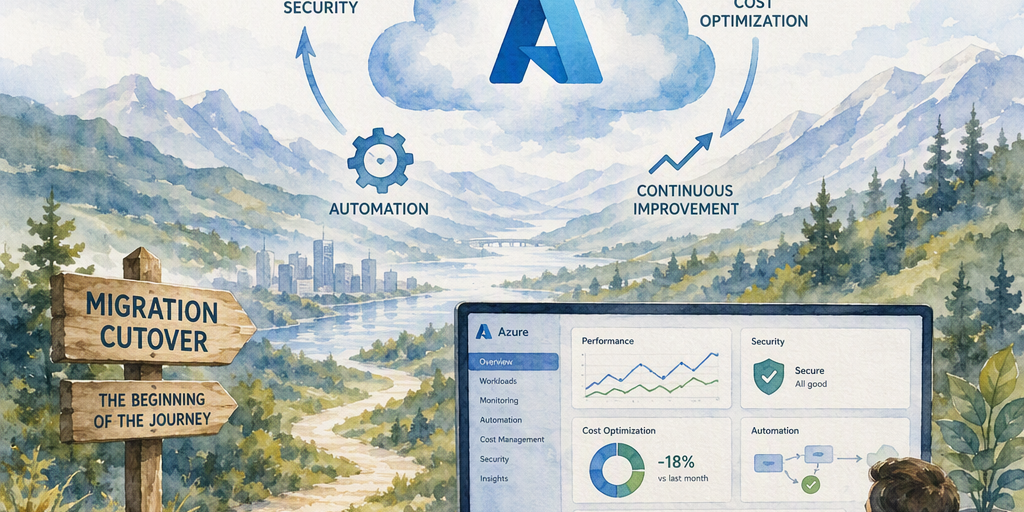
Moving a workload to Azure can feel like the finish line. The migration project closes, the application runs in its new environment, and the team turns its attention to the next initiative. In practice, cutover marks the beginning of the workload’s cloud lifecycle.
The period after migration determines whether the organization achieves its expected business value. Teams must confirm that the workload works as intended, establish dependable operational practices, and use real-world data to improve reliability, security, performance, cost efficiency, and sustainability. Without this discipline, a migrated environment can reproduce the limitations of the source system while adding new risks, unnecessary consumption, and operational complexity.
Azure provides a broad set of services and management capabilities for this work. Azure Monitor, Microsoft Defender for Cloud, Azure Advisor, Azure Policy, Microsoft Cost Management, Azure Automation, Azure Update Manager, and Azure Backup can form the foundation of a structured operating model. Used together with clear ownership, automation, and regular reviews, these capabilities help teams move from one-time migration activity to repeatable cloud operations.
Start with post-migration validation
A successful deployment or cutover does not prove that a workload is fully operational. Immediately after migration, teams should validate the workload across technical, business, and operational dimensions.
A post-migration validation plan typically covers:
- Application functionality: Critical user journeys, integrations, scheduled jobs, and background processes operate correctly.
- Data integrity: Data is complete, consistent, accessible, and synchronized according to the migration plan.
- Connectivity: Network routes, DNS, firewalls, private endpoints, hybrid connections, and external integrations behave as expected.
- Identity flows: Users, applications, services, and administrators receive appropriate access through Microsoft Entra ID and other identity mechanisms.
- Performance: Response times, throughput, resource consumption, and batch-processing windows meet agreed expectations.
- Backup and recovery: Backups run successfully, retention settings are appropriate, and recovery procedures have been tested.
- Monitoring coverage: Important infrastructure components, applications, dependencies, and business transactions generate useful telemetry.
- Security controls: Encryption, privileged access, vulnerability protection, logging, and network segmentation match organizational requirements.
- Business continuity: Recovery procedures support documented recovery time objectives (RTOs) and recovery point objectives (RPOs).
Validation should include business representatives as well as technical teams. An application can pass infrastructure checks while still producing incorrect reports, missing data, or degraded user experiences.
Teams should define remediation and rollback procedures before cutover whenever possible. If a migration issue appears in production, a documented response reduces uncertainty and limits the time spent deciding whether to repair the new environment or return to the previous one. Once the workload is stable, validation results become a baseline for future optimization.
Establish the operating foundation
Migrated workloads operate more effectively when they are placed within a consistent Azure foundation. A well-designed landing zone establishes common patterns for subscriptions, management groups, networking, identity, security, logging, resource organization, and governance.
Landing zones help organizations avoid treating each migrated workload as an isolated environment. They can provide:
- Consistent subscription and resource-group structures
- Standard naming and tagging conventions
- Centralized identity and access controls
- Network segmentation and approved connectivity patterns
- Shared monitoring and logging
- Security baselines and policy assignments
- Clear separation between production, development, and testing
- Guardrails for data protection and regulatory requirements
Azure Policy can enforce or audit standards such as approved regions, required tags, permitted resource types, encryption settings, and diagnostic logging. Role-based access control (RBAC) limits permissions according to job responsibilities and supports separation of duties. These controls should preserve appropriate team autonomy while preventing avoidable configuration drift.
Governance must remain practical. Excessive restrictions can encourage teams to bypass approved processes, while insufficient controls create inconsistent and difficult-to-manage environments. Policies should be documented, tested, reviewed regularly, and aligned with the workload’s risk profile.
Build observability around service objectives
Operational data is the evidence teams need to distinguish migration defects from normal workload behavior. It also reveals where improvements will have the greatest effect.
Azure Monitor can collect and analyze metrics, logs, traces, and activity data across Azure resources and applications. Log Analytics provides a centralized workspace for querying and correlating log data. Application Insights helps application teams examine request rates, response times, failures, dependencies, and user experiences. Platform metrics and diagnostic settings add visibility into services such as virtual machines, databases, storage, networking, and managed platforms.
Effective observability connects technical signals to service-level objectives (SLOs). Instead of monitoring every available metric equally, teams should identify indicators that represent service health, including:
- Availability and successful transaction rates
- Request latency at important percentiles
- Error rates and failed dependencies
- Queue depth and processing delay
- Database capacity and query performance
- Authentication failures
- Storage and network saturation
- Backup completion and recovery status
- User experience for critical workflows
Alerts should prompt an action. Excessive alerts create noise, cause fatigue, and make serious incidents harder to identify. Teams can improve alert quality by setting meaningful thresholds, using dynamic thresholds where appropriate, grouping related signals, and routing notifications to the people responsible for responding.
Dashboards should serve different audiences. A business-facing view may focus on availability and transaction success, while an operations dashboard may show resource health, dependency failures, and current incidents. Regular telemetry reviews also help teams identify blind spots and improve instrumentation over time.
Make reliability and recovery deliberate
Migration alone does not create high availability. A workload that depended on one server, one storage location, or one network path may retain the same failure modes after relocation to Azure.
Reliability planning should reflect the workload’s business importance and dependencies. Relevant design choices can include:
- Availability zones for protection against datacenter-level failures
- Zone-redundant or geo-redundant services where supported
- Multiple application instances behind a load-balancing service
- Resilient database configurations and tested failover
- Redundant connectivity for hybrid dependencies
- Health probes and automated recovery
- Queueing or caching to reduce dependency failures
- Backup retention aligned with business and regulatory needs
- Documented regional recovery strategies for critical workloads
Azure Backup supports protected copies and recovery workflows for supported workloads, but a successful backup job does not guarantee a successful recovery. Teams should perform restore tests, verify recovered data, measure recovery times, and document the steps required by operators. Disaster recovery exercises should include application owners, infrastructure teams, security personnel, and business stakeholders.
Recovery objectives should be explicit. The RTO defines how quickly a service must be restored, while the RPO defines the acceptable amount of data loss measured in time. These objectives influence architecture, replication, backup frequency, operational procedures, and cost.
Maintain security throughout the lifecycle
Security work continues after a workload reaches Azure. Configuration drift, changing identities, exposed secrets, newly disclosed vulnerabilities, and evolving business requirements can weaken a previously sound deployment.
Microsoft Defender for Cloud can help assess security posture, identify recommendations, and support workload protection across relevant Azure and hybrid resources. A broader security operating practice should also include:
- Strong authentication and conditional access
- Least-privilege RBAC and periodic access reviews
- Privileged access management for administrative roles
- Network segmentation and restricted inbound exposure
- Encryption for data at rest and in transit
- Secure management of secrets, keys, and certificates
- Vulnerability assessment and remediation
- Centralized security and activity logging
- Endpoint and workload protection
- Incident detection, response, and evidence preservation
Managed identities can reduce the need to store credentials in application configuration. Secrets should be held in an appropriate secrets-management service, such as Azure Key Vault, rather than embedded in code or deployment files.
Security recommendations should be prioritized according to business impact and exploitability. Treating every recommendation as equally urgent can overwhelm teams, while ignoring recommendations allows known weaknesses to persist. Regular posture reviews, vulnerability remediation targets, and incident exercises help make security a continuous operational responsibility.
Optimize cost without weakening the workload
Cloud cost optimization is more effective when it considers business outcomes rather than infrastructure spending alone. An inexpensive environment that misses service objectives, causes incidents, or requires extensive manual support may be more costly overall.
Microsoft Cost Management provides visibility into spending, budgets, trends, and allocation. Azure Advisor can identify potential improvements such as idle resources, underused capacity, and selected reservation or savings-plan opportunities. Tagging, subscription structure, and chargeback or showback practices help connect consumption to teams and business services.
Common optimization actions include:
- Right-sizing virtual machines and managed databases
- Removing unattached disks, unused public IP addresses, and idle resources
- Scheduling nonproduction resources to stop outside working hours
- Selecting suitable storage tiers and retention policies
- Reviewing data transfer and network architecture
- Using reservations or savings plans when usage is predictable
- Tuning autoscaling rules for variable demand
- Consolidating workloads where appropriate
- Replacing persistent infrastructure with managed or serverless services
Rightsizing should not rely only on average utilization. Teams should account for peak demand, performance objectives, failover capacity, licensing, growth, batch windows, and seasonal patterns. A virtual machine with low average CPU use may still be correctly sized if it must handle short periods of intensive processing.
Cost reviews should produce actions with owners and deadlines. A monthly review of spending trends, anomalous consumption, Advisor recommendations, and forecast changes can prevent unmanaged growth from becoming an accepted operating condition.
Improve performance using evidence
Migrated workloads often carry source-environment assumptions that are not ideal for Azure. A virtual machine may be oversized because the original environment offered limited hardware choices. A database may rely on inefficient indexing. An application may use connection patterns that create latency in a distributed architecture.
Performance optimization should begin with telemetry rather than guesswork. Teams can correlate application traces, dependency data, platform metrics, and user-experience signals to locate bottlenecks. Infrastructure metrics alone may show that a virtual machine is healthy while application traces reveal slow database queries or repeated calls to a distant service.
Potential improvements include:
- Selecting VM families suited to memory, compute, storage, or network requirements
- Adjusting managed-disk performance and configuration
- Improving database indexing, queries, and connection pooling
- Adding caching for frequently accessed data
- Using autoscaling for variable workloads
- Reducing unnecessary cross-region or cross-network traffic
- Improving application startup and deployment patterns
- Separating synchronous work from long-running background processing
- Adopting event-driven or asynchronous designs where appropriate
Performance changes should be tested against realistic workloads. A change that improves one metric can create a problem elsewhere, particularly when dependencies, licensing, or resilience requirements are involved.
Automate repeatable operations
Manual procedures are difficult to scale and easy to perform inconsistently. Automation reduces operational effort, improves repeatability, and limits configuration drift.
Infrastructure as code allows teams to define environments in version-controlled templates and review changes before deployment. Policy as code applies governance consistently. Deployment pipelines support repeatable releases, while automated testing can detect configuration and application defects earlier.
Azure Automation can support runbooks and scheduled operational tasks. Azure Update Manager helps organize and manage patching across supported machines. Azure Arc extends Azure management and governance capabilities to selected on-premises, hybrid, and multicloud resources.
Useful automation targets include:
- Resource provisioning and decommissioning
- Standard monitoring and diagnostic settings
- Patch scheduling and compliance reporting
- Backup configuration and verification
- Nonproduction shutdown schedules
- Certificate and secret rotation
- Incident enrichment and response steps
- Compliance evidence collection
- Recovery procedures and failover testing
Automation should include safeguards such as approval gates, maintenance windows, logging, and tested rollback steps. Automating an unsafe or poorly understood process can increase the scale of its impact.
Separate safe relocation from modernization
A workload does not need to be fully redesigned during migration to benefit from Azure. A phased approach often reduces risk: first establish a stable and supportable workload, then modernize it using evidence from actual operation.
Modernization opportunities may include:
- Moving from self-managed databases to managed database services
- Introducing containers or managed application platforms
- Replacing selected components with serverless services
- Using event-driven integration patterns
- Adopting managed identity and platform-native security
- Separating tightly coupled application components
- Improving deployment frequency through modern delivery practices
Post-migration telemetry helps prioritize these changes. A database with persistent maintenance overhead may be a strong modernization candidate. An application with unpredictable demand may benefit from autoscaling or a platform service. A critical dependency with a single point of failure may require architectural redesign before further growth.
Modernization should have a business purpose, such as reducing operational effort, improving release speed, increasing resilience, or supporting new user experiences. It should be planned as a roadmap with measurable outcomes rather than treated as an open-ended technology exercise.
Clarify ownership and accountability
Azure operates the underlying cloud services under a shared responsibility model, but customers remain responsible for many aspects of their workloads. These responsibilities commonly include configuration, data protection, access management, workload security, backup choices, application behavior, and service availability.
A clear responsibility model should identify owners across:
- Application operations
- Platform and infrastructure
- Networking
- Identity and access
- Security
- Data protection and databases
- Backup and disaster recovery
- Cost management
- Business service ownership
Teams should document escalation paths, maintenance responsibilities, service-level objectives, and incident procedures. Ownership must include the authority and skills needed to act; assigning responsibility without access or operational capacity creates delays during incidents.
Create a continuous improvement cycle
Operating a migrated workload is an iterative process rather than a one-time handoff. Regular reviews should examine:
- Incidents, recurring problems, and near misses
- Availability, latency, and other service-level indicators
- Cost trends and unusual consumption
- Security findings and remediation progress
- Backup and recovery test results
- Performance bottlenecks and capacity changes
- User and business feedback
- Automation opportunities
- Modernization candidates
- Sustainability improvements
The results should feed a prioritized backlog. Small, consistent improvements often produce more durable value than occasional large-scale optimization campaigns. Teams can also evaluate sustainability by reducing idle resources, selecting efficient service tiers, improving utilization, and avoiding unnecessary data movement or processing.
A practical path forward
A structured post-migration program can begin with five steps:
- Validate the workload: Confirm functionality, data, connectivity, security, monitoring, backup, performance, and recovery.
- Establish ownership: Document responsibilities, service objectives, escalation paths, and operational procedures.
- Instrument the environment: Use Azure Monitor and related tools to create actionable visibility into applications, dependencies, and infrastructure.
- Prioritize improvements: Use operational, security, performance, and cost data to identify the highest-value changes.
- Automate and review: Standardize recurring tasks, track outcomes, and revisit the environment through a continuous improvement cycle.
A migrated workload reaches its full value when it becomes reliable, observable, secure, efficient, and adaptable. Azure operations should be treated as an ongoing capability rather than a final migration task. Teams can begin with a post-migration health review, assign clear owners, and build a prioritized roadmap that turns cloud telemetry into measurable business results.
Summary
This guide provides a practical framework for turning an Azure migration into a reliable, secure, cost-conscious, and continuously improving operating model.